Archive for the ‘NTP configuration’ Category

The World Cup and the NTP Server

Thursday, June 24th, 2010

As half the world is engrossed in the four yearly football tournament, it is a good opportunity to highlight the importance of accurate time and how it enables the entire world to watch events such as the Fifa World Cup.

Many of us have been glued to the love football coverage that is being broadcast by a multitude of different broadcasters and TV companies to nearly all countries across the globe.

But nearly all the technologies that enable this mass global live transmission: from the communication satellites that beam the signal across the globe, to the receivers that distribute them to our dishes, cable boxes and aerials.

And with online broadcasting now part and parcel of the whole live sporting event package – accurate time is even more important.

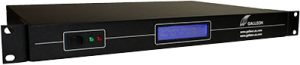
NTP time servers

With signals being bounced from football stadiums to satellites and then to our homes, it is essential that all the technologies involved are synchronised as accurately as possible. Failure to do so could cause the signals to get lost, create interferences or cause a qhole host of other problems.

Most technologies rely on time servers to ensure accuracy and synchronisation. Most time synchronisation servers use the protocol NTP (Network Time Protocol) to distribute time across technology networks.

These devices use a single time source, often acquired from an external atomic clock that is used to set all system clocks on devices to.

Most modern computer networks have a NTP time server that controls the time. These devices are simple to set up and in a modern, global world, are a must have for anybody conscious about accuracy and security (Many security and malicious network attacks are caused due to a lack of synchronisation).

A single NTP time server can keep a network of hundreds and even thousands of machines accurate to within a few milliseconds to the world’s global timescale UTC (Coordinated Universal Time).

Do I Really Need A NTP Server For Time Synchronisation?

Wednesday, June 2nd, 2010

Time synchronisation is a critical aspect to modern computing, especially when computers are on a network or need to communicate with other networked machines.

Timestamps are crucial for computers to acknowledge when an event occurred and it is the only information they have to ascertain if an event has occurred. Without accurate time stamps the consequences can include:

• Loss of data
• Difficult to log errors
• Difficult to debug
• Failure to save
• Time sensitive applications may fail

Modern operating systems like Windows 7 have automatic synchronisation software already installed. W32Time has been a part of Microsoft’s different generations of operating systems for some time but in Windows 7 it is set to be automatically on (Rather than the user having to set it) – synchronising your PC straight out of the box.

With such NTP (Network Time Protocol) based synchronisation available by using internet time servers (normally Microsoft and NIST) many people may wonder if a dedicated time server is still required.

Problems with Internet Time Servers

There are several drawbacks to using this Internet time as a source of UTC (Coordinated Universal Time – the global timescale often referred to as GMT).

The first and most important drawback to internet time servers is their location through the firewall. Having to rely on a source of time across the internet means keeping the TCP port open – a crucial security weakness that can be used by malicious users or bots.

Another downside to internet time servers is their lack of guaranteed accuracy. While places like NIST (National Institute for Standards and Time) and Microsoft have reliable and accurate time servers – the accuracy can be dependent on how far away you are peering from. And many other time servers available as a source of internet time are less reliable – and as NTP can’t authenticate a time signal from across the internet – it can be difficult to assess.

Benefits of an External NTP Server

Dedicated external NTP servers are far more secure. They receive their tie from GPS satellites of Long Wave transmissions so the signals can’t be intercepted by computer hackers or malicious software. Also, NTP can authenticate the signals ensuring you know where they are coming from and how accurate they are.

With time being so important on modern networked computers, taking a risk with internet time may cost a lot more than any minor investment in a dedicated NTP time server.

Understanding GPS Time in Relation to UTC

Thursday, May 13th, 2010

Accurate time is so important for modern computer systems that it is now unimaginable for any network administer to configure a computer system without any regard to synchronisation.

Ensuring all machines are running an accurate and precise time, and that the entire network is synchronised together, will prevent problems arising such as data loss, failure of time sensitive transactions and enable debugging and error management which can be near impossible on networks that lack synchronicity.

There are many sources of accurate time for use with NTP time servers (Network Time Protocol). NTP servers tend to use time that is controlled by atomic clocks to ensure accuracy, and there are advantages and disadvantages to each system.

Ideally as a source of time you want it to be a source of UTC (Coordinated Universal Time) as this is the international time standard as used by computer systems worldwide. But UTC is not always accessible but there is an alternative.

GPS time

GPS time is the time as relayed by the atomic clocks on board GPS satellites. These clocks form the basic technology for the Global Positioning System and their signals are what are used to work out positing information.

But GPS time signals can also provide an accurate source of time for computer networks – although strictly speaking GPS time does differ to UTC.

No Leap Seconds

GPS time is broadcast as an integer. The signal contains the number of seconds from when the GPS clocks were first turned on (January 1980).

Originally GPS time was set to UTC but since GPS satellite have been in space the last thirty years, unlike UTC, there has been no increase to account for leap seconds – so currently GPS is running exactly 17 seconds behind UTC.

Conversion

Whilst GPS time and UTC are not strictly the same as they were originally based on the same time and only the lack of leap seconds not added to GPS makes the difference, and as this is exact in seconds, conversion of GPS time is simple.

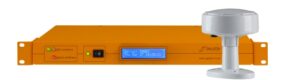
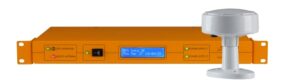
Many GPS NTP servers will convert GPS time to UTC time (and local time if you so wish) ensuring you can always have an accurate, stable, secure and reliable source of atomic clock based time.

Technologies that rely on Atomic Clocks (part one)

Wednesday, March 17th, 2010

Atomic clocks are the most accurate timekeeping devices known to man. There accuracy is incomparable to other clocks and chronometers in that whilst even the most sophisticated electronic clock will drift by a second every week or two, the most modern atomic clocks can keep running for thousands of years and not lose even a fraction of a second.

The accuracy of an atomic clock is down to what they use as their basis for time measurement. Instead of relying on an electronic current running through a crystal like an electronic clock, an atomic clock uses the hyperfine transition of an atom in two energy states. Whilst this may sound complicated, it is just an unfaltering reverberation that ‘ticks’ over 9 billion times each second, every second.

But why such accuracy really necessary and what technologies are atomic clocks employed in?

It is by examining the technologies that utilise atomic clocks that we can see why such high levels of accuracy are required.

GPS – Satellite navigation

Satellite navigation is a huge industry now. Once just a technology for the military and aviators, GPS satellite navigation is now used by road users across the globe. However, the navigational information provided by satellite navigation systems like GPS is solely reliant on the accuracy of atomic clocks.

GPS works by triangulating several timing signals that are deployed from atomic clocks onboard the GPS satellites. By working out when the timing signal was released from the satellite the satellite navigational receiver can just how far away it is from the satellite and by using multiple signals calculate where it is in the world.

Because of these timing signals travel at the speed of light, just one second inaccuracy within the timing signals could lead to the positing information being thousands of miles out. It is testament to the accuracy of GPS atomic clocks that currently a satellite navigation receiver is accurate to within five metres.

A Guide to Synchronising a Network with NTP

Wednesday, February 10th, 2010

Network Time Protocol (NTP) is a TCP/IP protocol developed when the internet was in its infancy. It was developed by David Mills of the University of Delaware who was trying to synchronise computers across a network with a degree of precision.

NTP is a UNIX based protocol but it has been ported to operate just as effectively on PCs and a version has been included with operating systems since Windows 2000 (including Windows 7, Vista and XP).

NTP, and the daemon (application) that controls it, is not just a method of passing the time around. Any system running the NTP daemon can act as a client by querying the reference time from other servers or it can make its own time available for other devices to use which in effect turns it into a time server itself. It can also act as a peer by collaborating with other peers to find the most stable and accurate time source to use.

One of the most flexible aspects of NTP is its hierarchical nature. NTP divides devices into strata, each stratum level is defined by its proximity to the reference clock (atomic clock). The atomic clock itself is a stratum 0 device, the closest device to it (often a dedicated NTP time server) is a stratum 1 device whilst other devices that connect to that become stratum 2. NTP can maintain accuracy to within 16 stratum levels.

Any network that needs to be synchronised, has to first identify and locate a time source for NTP to distribute. Internet sources of time are available but thee are often taken from stratum 2 devices that operate through the firewall. The only way NTP can peer the time is if the TCP/IP port is left open to allow the traffic through. This could lead to security issues as malicious users can take advantage of this firewall hole.

Dedicated NTP time servers find a source of time via GPS or radio signals and so don’t leave a network vulnerable to attack. By attaching a NTP time server to a router and entire network of hundreds and even thousands of devices can be synchronised thanks to NTP’s hierarchical structure.

Atomic Clocks and Gravity

Tuesday, December 8th, 2009

We couldn’t live our lives without them. They affect almost every aspect of our daily lives and many of the technologies that we take for granted in today’s world, just couldn’t function without them. In fact, if you are reading this article on the Internet the there is a chance you are using one right now.

Without knowing it, atomic clocks govern all of us. From the Internet; to mobile phone networks and satellite navigation, without atomic clocks none of these technologies would be possible.

Atomic clocks govern all computer networks using the protocol NTP (network time protocol) and network time servers, computer systems around the world remain in perfect synchronisation.

And they will continue to do so for several million years as atomic clocks are so accurate they can maintain time to within a second for well over 100 million years. However, atomic clocks can be made even more accurate and a French team of scientists are planning to do just that by launching an atomic clock into space.

Atomic clocks are limited to their accuracy on Earth because of the effects of he gravitational pull of the planet on time itself; as Einstein suggested time itself is warped by gravity and this warping slows down time on Earth.

However, a new type of atomic clock named PHARAO (Projet d’Horloge Atomique par Refroidissement d’Atomes en Orbit) is to be placed aboard the ISS (international space station) out of reach from the worst effects of Earth’ gravitational pull.

This new type of atomic clock will allow hyper accurate synchronization with other atomic clocks, here on Earth (which in effect will make synchronization to an NTP server even more precise).

Pharao is expected to reach accuracies of around one second each 300 million years and will allow further advances in time reliant technologies.

Why Bother Using a NTP Time Server?

Tuesday, November 10th, 2009

Keeping computers synchronized on a network is vitally important, especially if the network in question deals with time sensitive transactions. And failing to keep a network synchronized can cause havoc leading to errors, vulnerabilities and endless problems with debugging.

However with the amount of online time servers available from reputable places such as NIST or Microsoft it is often queried as to why computer networks need to be synchronised to an external NTP time server.

These dedicated NTP devices are often seen as an unnecessary expense and many network administrators simply forgo them and connect to an online time server, after-all, it does the same job doesn’t it?

Actually there are two major reasons why NTP time servers are not only important but essential for most computer networks and to overlook them could be costly in many ways.

Let me explain. The first reason why an external NTP server is important is accuracy. It’s not that internet time sources are generally inaccurate (although many are) but there is the question of distance the time reference has to travel. Furthermore, in times when the connection is lost -whether it’s because of a local connection fault or the time server itself goes down – the network will start to drift until the connection is restored.

Secondly and perhaps most important is the security issues involved in using an Internet time source. The main problem is that if your connection to a time server through the then a open port (UDP 123 fro NTP requests) has to be left open, And as with any open port that can used as a gateway for malicious software and users.

The reason dedicated NTP time servers are essential for computer networks is that they work completely independently and external to the network’s firewall. Instead of accessing a time source across the Internet they use either GPS or radio transmissions to get the time. And in doing so they can provide accurate time all the time without fear of losing a connection or allowing a nasty Trojan through the firewall.

Time Synchronization on Windows 7

Wednesday, November 4th, 2009

Windows 7, the latest operating system from Microsoft is also their first operating system that automatically synchronizes the PC clock to an internet source of UTC time (Coordinated Universal Time). From the moment a Windows 7 computer is switched on and is connected to the Internet it will request time signals from the Microsoft time service – time.windows.com.

While for many home users this will save them the hassle of setting and correcting their clock as it drifts, for business users it may be problematic as internet time sources are not secure and receiving a time source through the UDP port on the firewall could lead to security breaches and as Internet time sources can’t be authenticated by NTP (Network Time Protocol) the signals can be hijacked by malicious users.

This internet time source can be deactivated by opening the clock and date dialogue box, and opening the Internet Time tab, clicking the ’Change’ setting button and unchecking the ‘Synchronize with an Internet time server option.’

Whilst this will unsure no unwanted traffic will be coming through your firewall it will also mean that the Windows 7 machine will not be synchronised to UTC and its timekeeping will be reliant on the motherboard clock, which will eventually drift.

To synchronize a network of Windows 7 machines to an accurate and secure source of UTC then the most practical and simplest solution is to plug in a dedicated NTP time server. These connect directly to a router or switch and enable the safe receiving of an atomic clock time source.

NTP time servers use the highly accurate and secure GPS signal (Global Positioning System) available everywhere on the planet or more localized long wave radio signals transmitted by several national physics laboratories such as NIST and NPL.

Configuring a Dedicated NTP Time Server on Windows 7

Saturday, October 31st, 2009

Windows 7 is the very latest operating system from Microsoft. Replacing the rather disappointing Windows Vista, Windows 7 promises to correct the flaws that made its predecessor so unpopular.

One of the changes Windows 7 makes is that it automatically synchronizes the time using the Windows Time service located at windows.time.com. Whilst this is an accurate stratum 2 time server, managed by Microsoft, it can be changed for another source of Internet time. However, even Microsoft recommend that Internet time sources should not used for computer networks as they can’t be authenticated by the time protocol NTP (Network Time protocol). Furthermore, an internet time source needs a port left open in the firewall for the time signals to make it through. Any open port in a firewall can be used by a malicious user to gain access to the network.

For a secure, authenticated and accurate method of synchronizing a Windows 7 network, then it is wise to use a dedicated network time server. Most of these time servers use the protocol NTP (Network Time Protocol) which can easily distribute a single time server throughout a network of hundreds and even thousands of machines.

Time servers plug directly into the router/switch for the network or can be installed on a single machine. Rather than rely on the Internet for a source of time and risk leaving the firewalls UDP port open, dedicated NTP time servers use either the GPS signals or long wave radio broadcasts transmitted from national physics laboratories such as the MSF signal broadcast by the UK’s NPL and the USA WWVB signal broadcast by NIST.

As these signals are external to the firewall and are able to be authenticated by NTP to establish the authority of the signals and are a more accurate and secure method of synchronizing a Windows 7 network.

Keeping Your Network Secure –Beginners Guide

Wednesday, September 30th, 2009

Network security is vitally important for most business systems. Whilst email viruses and denial-of-service attacks (DoS attack) may cause us headaches on our home systems, for businesses, these sorts of attacks can cripple a network for days – costing businesses hundreds of millions each year in lost revenue.

Keeping a network secure to prevent this type of malicious attack is usually of paramount importance for network administrators, and while most invest heavily in some forms of security measures there is often vulnerabilities inadvertently left exposed.

Firewalls are the best place to begin when you are trying to develop a secure network. A firewall can be implemented in either hardware or software, or most commonly a combination of both. Firewalls are used to prevent unauthorized users from accessing private networks connected to the Internet, especially local intranets. All traffic entering or leaving the intranet pass through the firewall, which examines each message and blocks those that do not meet the specified criteria.

Anti-virus software works in two ways. Firstly it acts similarly to a firewall by blocking anything that is identified in its database as possibly malicious (viruses, Trojans, spyware etc). Secondly Anti-virus software is used to detect, and remove existing malware on a network or workstation.

One of the most over-looked aspects of network security is time synchronization. Network administrators either fail to realise the importance of synchronization between all devices on a network. Failing to synchronize a network is often a common security issue. Not only can malicious users take advantage of computers running at different times but if a network is struck by an attack, identifying and rectifying the problem can be near impossible if every device is running on a different time.

Even when a network administrator is aware of the importance of time synchronization they often make a common security mistake when attempting to synchronize their network. Instead of investing in a dedicated time server that receives a secure source of UTC (Coordinated Universal Time) externally from their network using atomic clock sources like GPS, some network administrators opt to use a shortcut and use a source of Internet time.

There are two major security issues in using the Internet as a time server. Firstly, to allow the time code through the network a UDP port (123) has to be left open in the firewall. This can be taken advantage of by malicious users who can use this open port as an entrance to the network. Secondly, the inbuilt security measure used by the time protocol NTP, known as authentication, doesn’t work across the Internet which means that NTP has no guarantee the time signal is coming from where it is supposed to.

To ensure your network is secure isn’t it time you invested in an external dedicated NTP time server?